

Digital Resolution Bingo
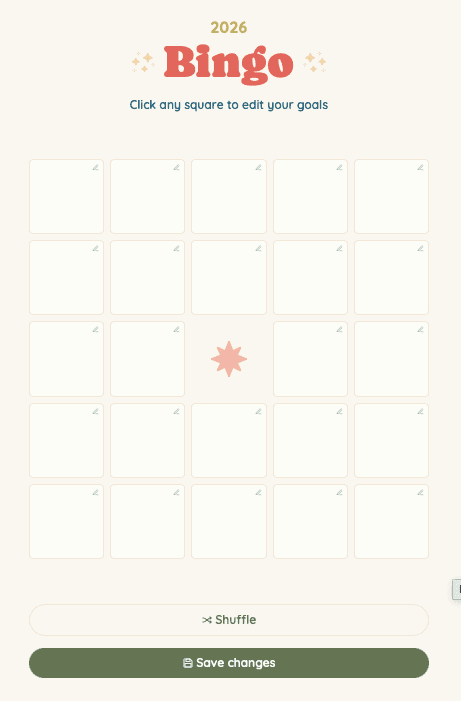
A gamified, interactive web application designed to help users set, track, and celebrate their yearly goals. From drafting the initial product requirements document to designing the UI button layouts and confirmation workflows, the focus was on creating a seamless, engaging, and frictionless user experience.

Role
UI/UX & Web Designer
Tools
Figma Make, Figma
Timeline
1.5 months
The Problem & Solution
The problem: Goal tracking app often feel like clinical chores, making it hard for users to stay motivated throughout the year.
The solution: A customizable, highly visual bingo board that turns personal resolutions into a celebratory, interactive game.

Process & Product Thinking
Building from Scratch
Iterative Scoping
A great user experience requires knowing what to cut. During development, several planned features were intentionally dropped to keep the interface clean, simple, and intuitive. Conversely, testing revealed the need for new, high-value micro-interactions, leading to the dynamic addition of the "New card" generator, protective reset warnings, and a celebratory yearly reset sequence.
Key Features & User Workflows
Editing & Custimization
Users can input personal goals, manually shuffle the board's layout, or instantly generate a new card from a preset list of over 100 realistic, measurable resolutions.

Destructive Actions & Error Prevention
Designed clear confirmation workflows with strategic button hierarchy (primary vs. secondary styling) to prevent users from accidentally wiping their localStorage progress or saving incomplete boards.

Progress Tracking & Flexibility
To account for edge cases where users might achieve a goal but log it retroactively, I introduced an editable date feature directly on the achievement stamps. This hands control backs to the user, ensuring the board acts as an accurate reflection of their real-world progress rather than enforcing a rigid, system-generated timestamp.

The 'Win' State
Celebrating Incremental and Final Success
To enhance the gamified experience and sustain user motivation, I implemented a celebratory micro-interaction that triggers when a user completes a full line of bingo. By rewarding incremental progress alongside the final full-board completion pop-up, the interface consistently reinforce a sense of accomplishment. Users can then generate a frictionless snapshot of their fully stamped board to export their overall success.

Key Takeaways
Designing for Technical Constraints: Relying on localStorage meant progress couldn't automatically sync across devices. I turned this technical limitation into a user-centric feature by designing a frictionless "Share" pop-up, allowing users to save and share their progress.
Strict Score Management: I learned to ruthlessly prioritize features. Dropping several planned "nice-to-haves" during development was a difficult but necessary decision to protect the core user experience and keep the interface intuitive.